Features How it Works Pricing
Version 3.1 — Live Interpreter

Talk Live. Chat Across Languages.

Quantiya Translate turns one phone into a two-way interpreter for in-person conversations, then keeps the relationship going with AI-translated contacts, groups, text, and voice messages.

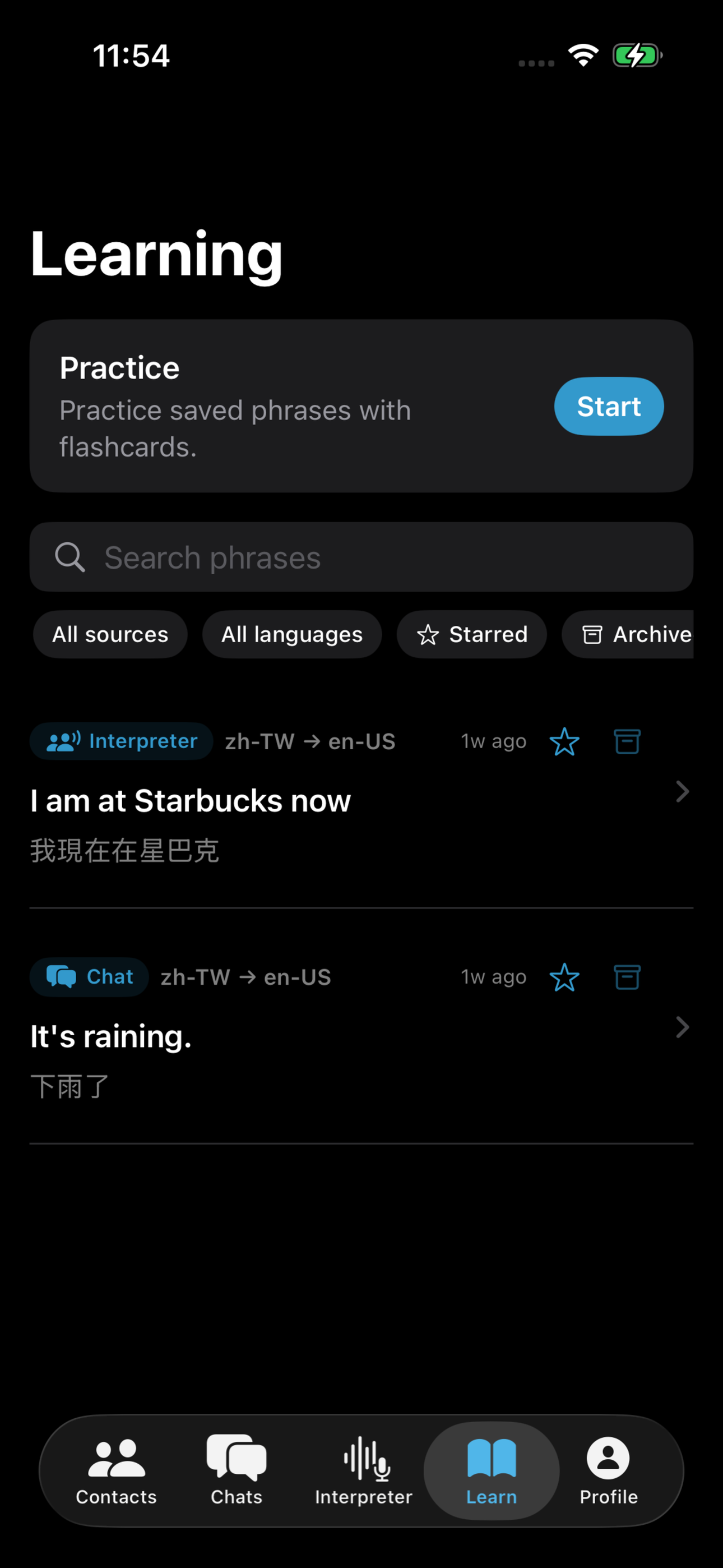
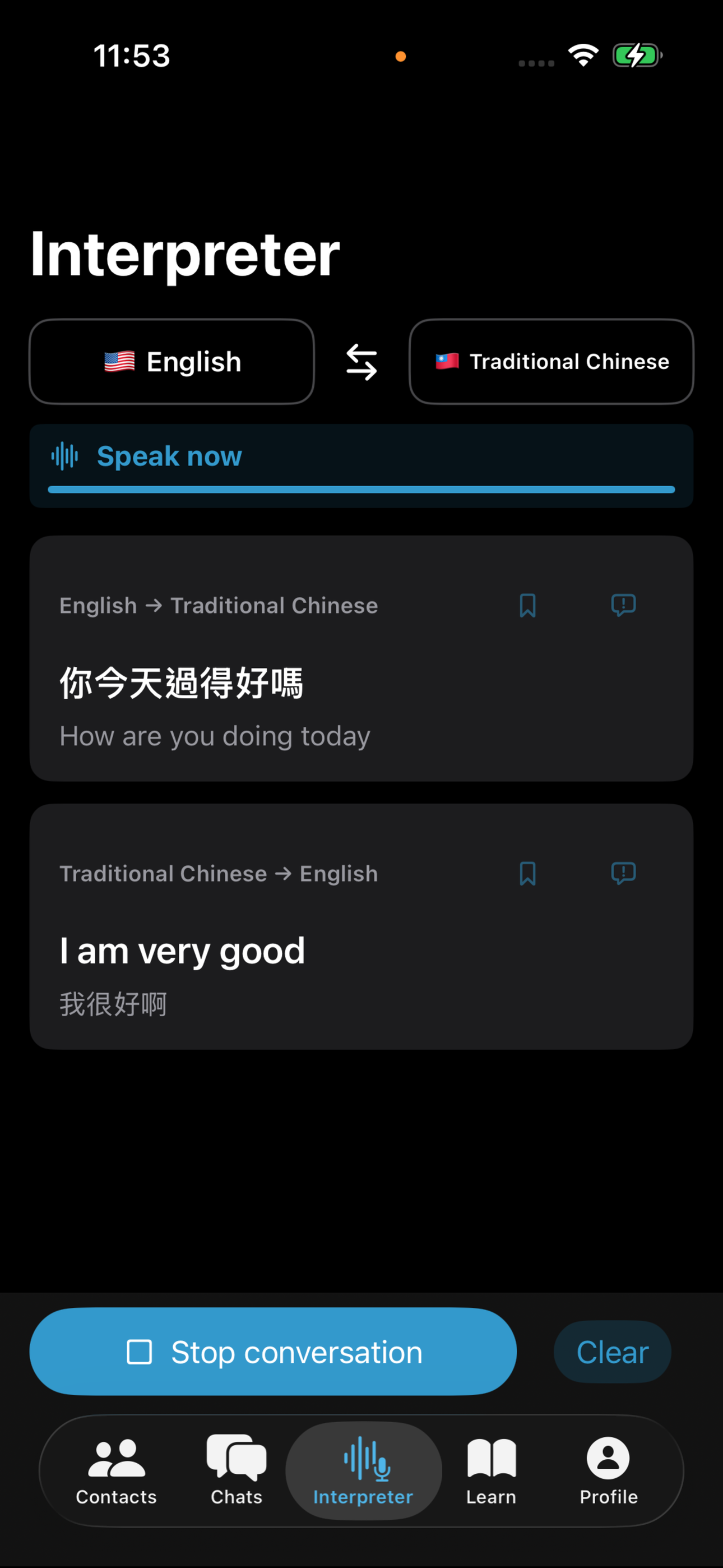
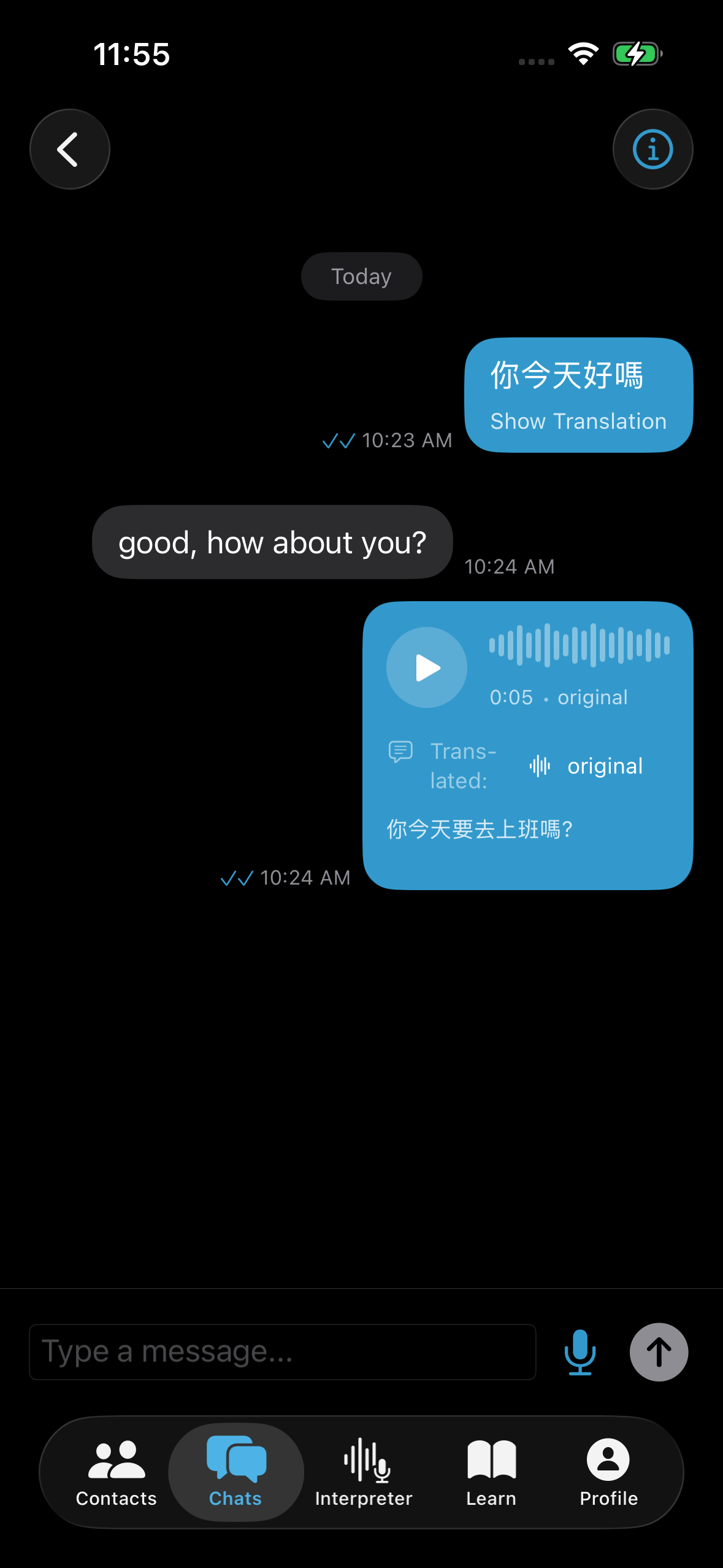
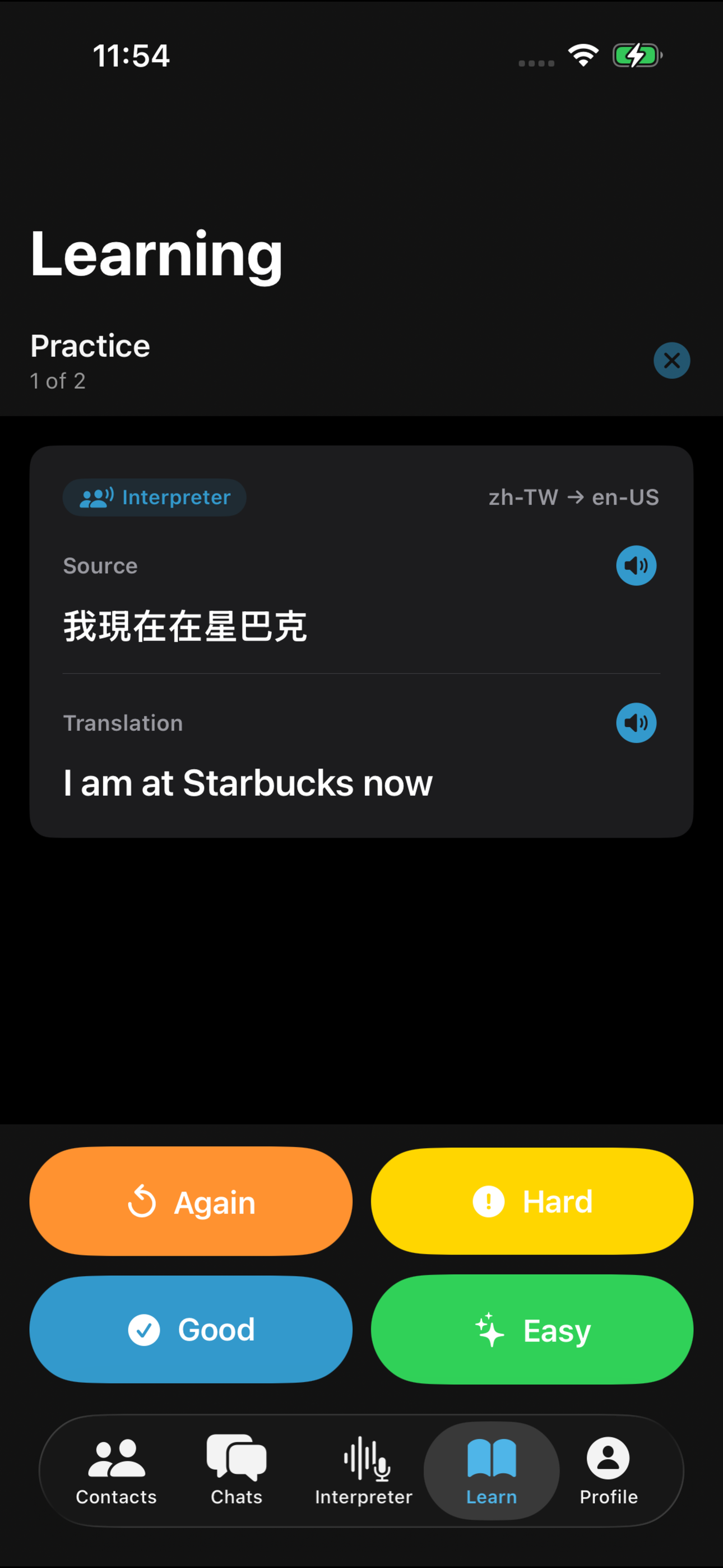
Live Interpreter conversation Group chat with voice messages Chats list with unread count

Why People Choose Quantiya Translate

Built for conversations that move between speech, text, and voice

🎙️

Live Interpreter

Speak naturally in either of two selected languages. Quantiya detects which language was spoken, translates the phrase, and plays it aloud so one phone can carry the conversation.

Natural AI Translation

Translate live speech, chat messages, and voice notes with phrasing that feels conversational, not dictionary-like.

👤

Contacts That Stay Connected

Add someone once with a QR code or invite link. Their language preference stays with the contact, so future chats are ready immediately.

👥

Multilingual Group Chats

Bring up to five people into one conversation. Everyone writes in their own language and receives the thread in theirs.

🎤

Translated Voice Messages

Send a voice note when typing is too slow. Recipients hear translated playback and can check the original audio anytime.

🌍

12-Language Coverage

Supports English, Spanish, Simplified and Traditional Chinese, Japanese, Korean, Vietnamese, French, German, Portuguese, Thai, and Indonesian.

Two Ways to Translate

Use Live Interpreter for the moment, and translated messaging for everything that follows.

🎙️ Live Interpreter

One phone for a live conversation

1

Pick two languages

Choose the language pair for the conversation.

2

Speak naturally

Either person talks when ready. Quantiya detects which language was spoken.

3

Hear it aloud

The translation appears and plays out loud so the other person can respond.

💬 Translated Messaging

Stay connected after the conversation

1

Add contacts or groups

Scan a QR code or share an invite link once.

2

Use your own language

Everyone writes or records voice messages in the language they know best.

3

Keep the thread moving

Messages, translated voice playback, and conversation history stay available.

See It In Action

Live speech and messaging where language is never a barrier

💬 Your Conversations
Chats list with 1:1 and group conversations
🌐 Group Chat
Group chat with translated messages and voice

Speak live or send messages in any language — everyone reads and hears in their own

Simple, Transparent Pricing

Choose the plan that fits your needs

Free

$0

Get started

  • 100 text messages/month
  • 10 voice messages/month
  • 7-day message history
  • 1:1 conversations
  • All 12 language options
Download Free

Supported Languages (12)

🇺🇸 English
🇪🇸 Spanish
🇨🇳 Simplified Chinese
🇹🇼 Traditional Chinese
🇯🇵 Japanese
🇰🇷 Korean
🇻🇳 Vietnamese
🇫🇷 French
🇩🇪 German
🇧🇷 Portuguese
🇹🇭 Thai
🇮🇩 Indonesian

Frequently Asked Questions

Everything you need to know

Scan their QR code in person, or share your invite code remotely via text, WhatsApp, or any messaging app. Once added, your contact is saved permanently — no need to reconnect each time.

For persistent 1:1 chats and group chats, yes — everyone in the conversation needs Quantiya Translate installed. For an in-person Live Interpreter session, one phone can translate both sides of the conversation.

Live Interpreter is a hands-free conversation mode for two selected languages. The app listens for speech, detects which language was spoken, translates it, and plays the translation aloud.

Group chat lets up to 5 people have a conversation together, each in their own language. Every message is translated automatically for each participant. Group chat is available with a Pro subscription.

Each text message you send counts as one message. Voice messages count separately — Free users get 100 text and 10 voice messages per month. Receiving messages does not count against your quota.

Free users can access the last 7 days of messages. Pro subscribers keep their entire message history permanently, so you never lose an important conversation.

Messaging, account sync, and initial model downloads require an internet connection. Live Interpreter uses downloaded on-device speech and translation components where available, so download the required models before travel.

Yes! Quantiya Translate works on both iOS and Android with full cross-platform support. An iPhone user and an Android user can chat seamlessly — no platform restrictions.

Google Translate and Apple Translate are useful tools, but they are not a communication platform. Quantiya Translate combines Live Interpreter for in-person speech with persistent contacts, group chats, voice messages, and conversation history.

Messaging apps like WhatsApp, LINE, and iMessage don't translate at all. You'd have to copy a message, switch to a translate app, read the translation, then switch back. With Quantiya, every message is automatically translated for each participant — no switching, no copying, no extra steps.

Ready to Break Language Barriers?

Download now and start your first conversation for free.